One clear starting point
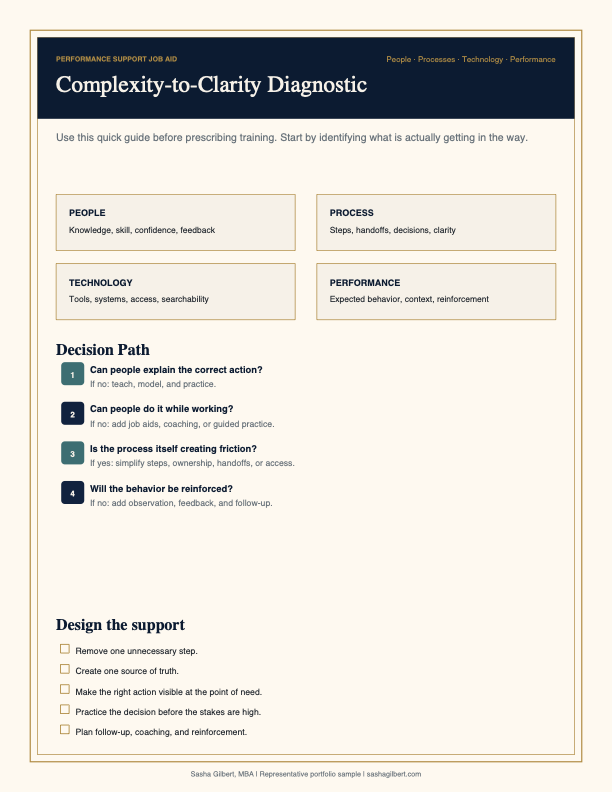
The title and opening instruction establish when to use the guide.
Job Aids · Visual Communication · Decision Support · Learning Resources
Make knowledge usable.
Clear visual resources reduce unnecessary effort and help people locate, understand, and apply guidance while the work is happening.
A one-page job aid that helps someone identify the barrier before defaulting to training. It combines a four-lens model, a short decision path, and practical design prompts.
The title and opening instruction establish when to use the guide.
The four lenses and numbered path make the reasoning easy to scan.
Each diagnostic question leads to an appropriate type of support.
The design standard
Diagnosis, onboarding, and manager coaching each require a different information structure. These representative samples show how the format follows the work.
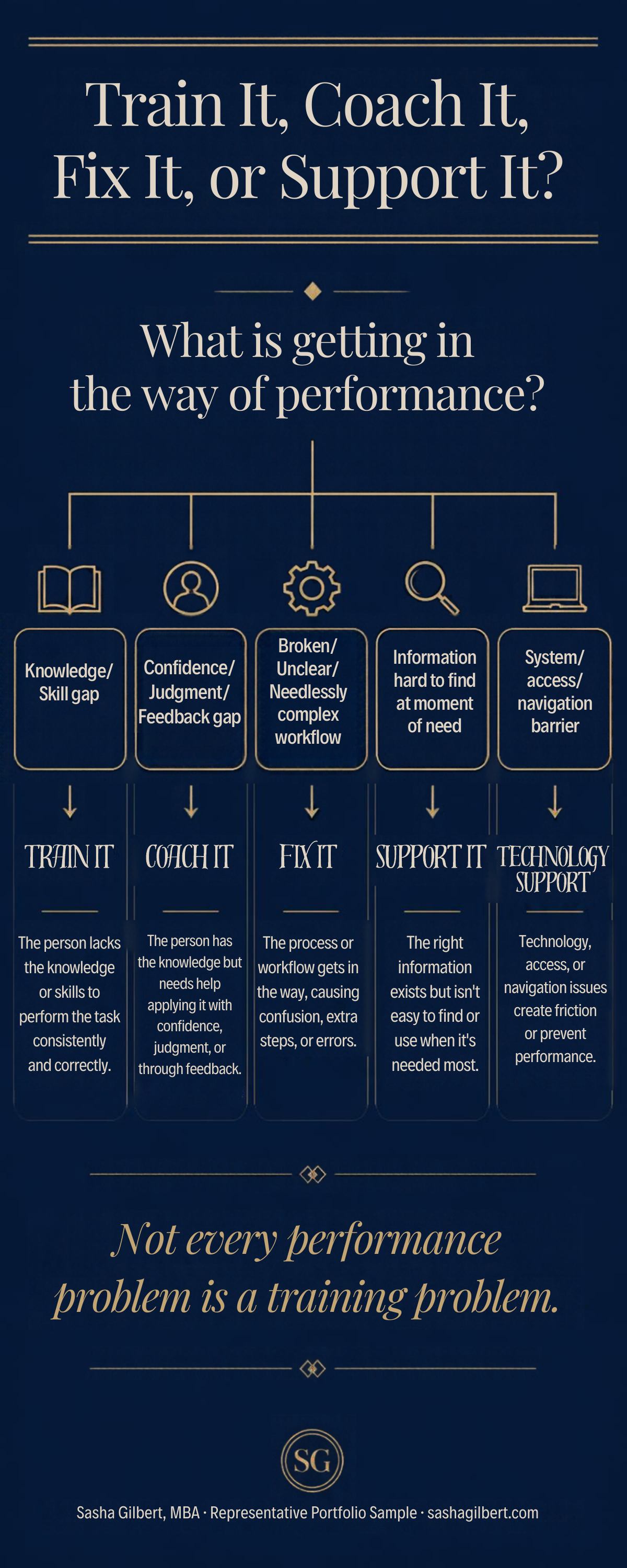
Performance diagnosis
This tool helps managers and L&D professionals distinguish a knowledge or skill gap from a confidence, workflow, information-access, or technology barrier.
Not every performance problem is a training problem.
Performance Consulting · Decision Support · Visual Instruction
Created in Canva · Representative Portfolio Sample
Open full view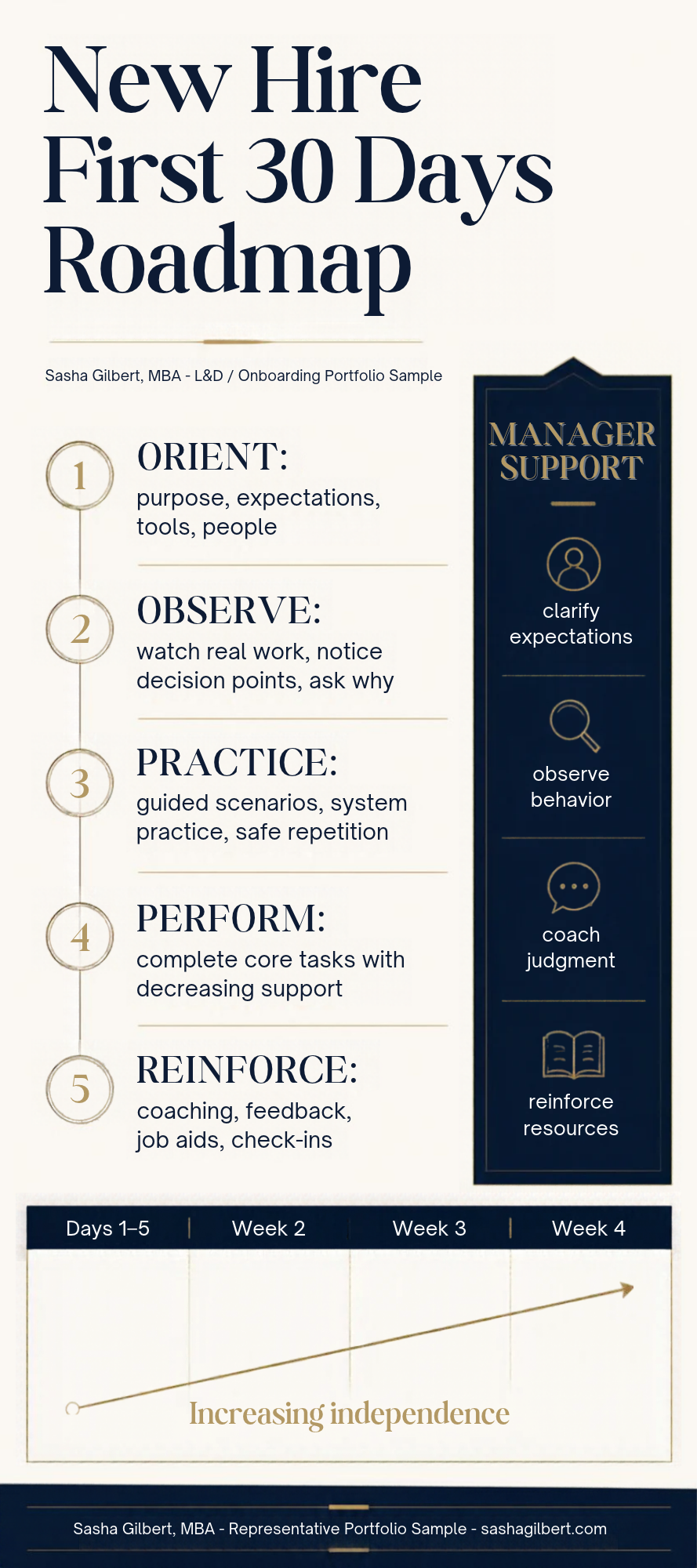
Visual onboarding design
The roadmap moves from orientation through observation, guided practice, performance, and reinforcement. Its purpose is readiness: support decreases as confidence and independence grow.
Onboarding Design · Learning Journey · Performance Readiness
Created in Canva · Representative Portfolio Sample
Open full view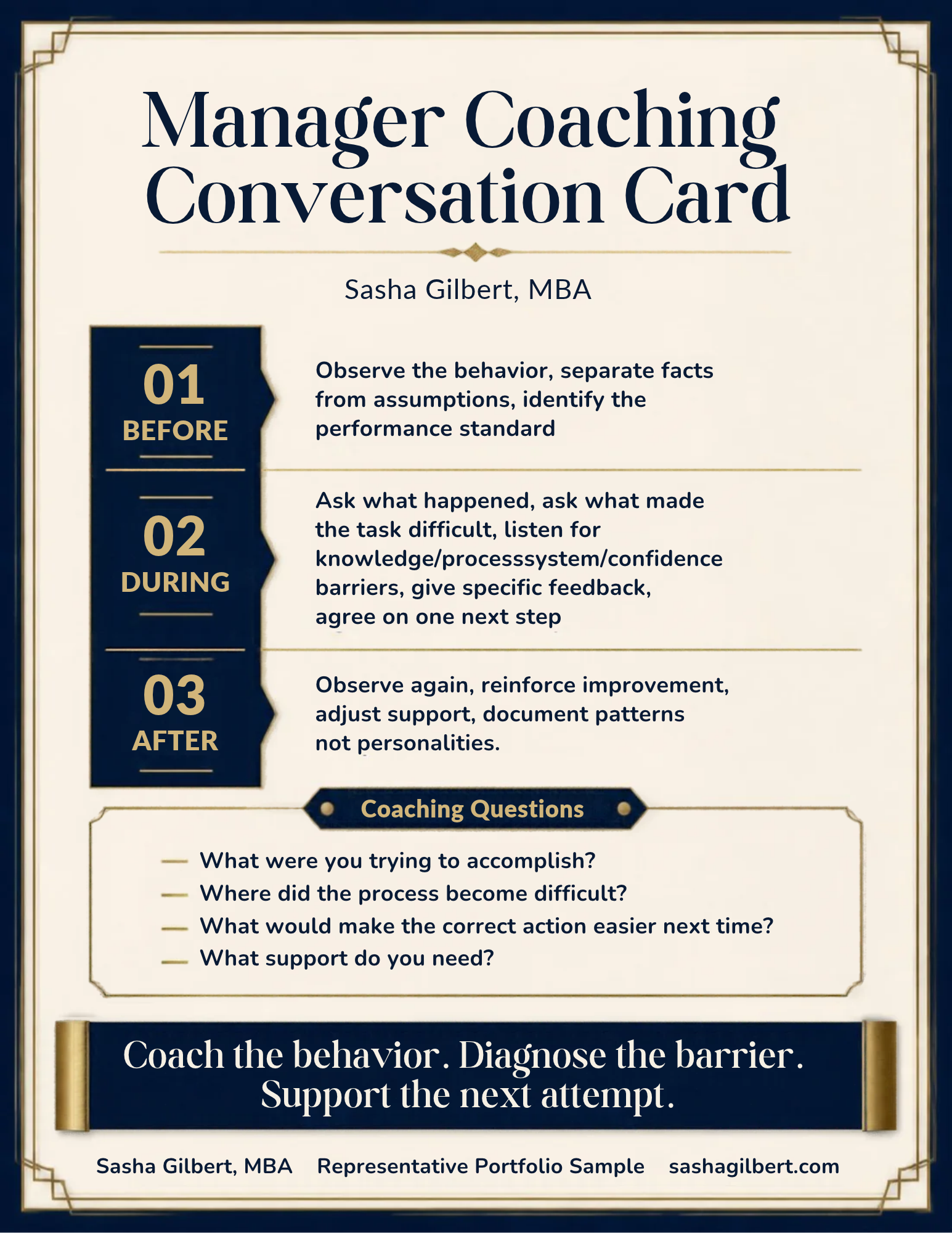
Manager performance support
A practical conversation aid for observing behavior, giving specific feedback, diagnosing barriers, agreeing on a next step, and reinforcing the next attempt.
Manager Enablement · Coaching · Performance Support
Created in Canva · Representative Portfolio Sample
Open full viewRepresentative portfolio samples reflect Sasha Gilbert’s professional experience and learning-design approach. Proprietary employer materials and company-specific information have been omitted or recreated.
A facilitator preparing to lead, a learner working through an activity, and an employee making a decision need different amounts of detail and different visual structures.
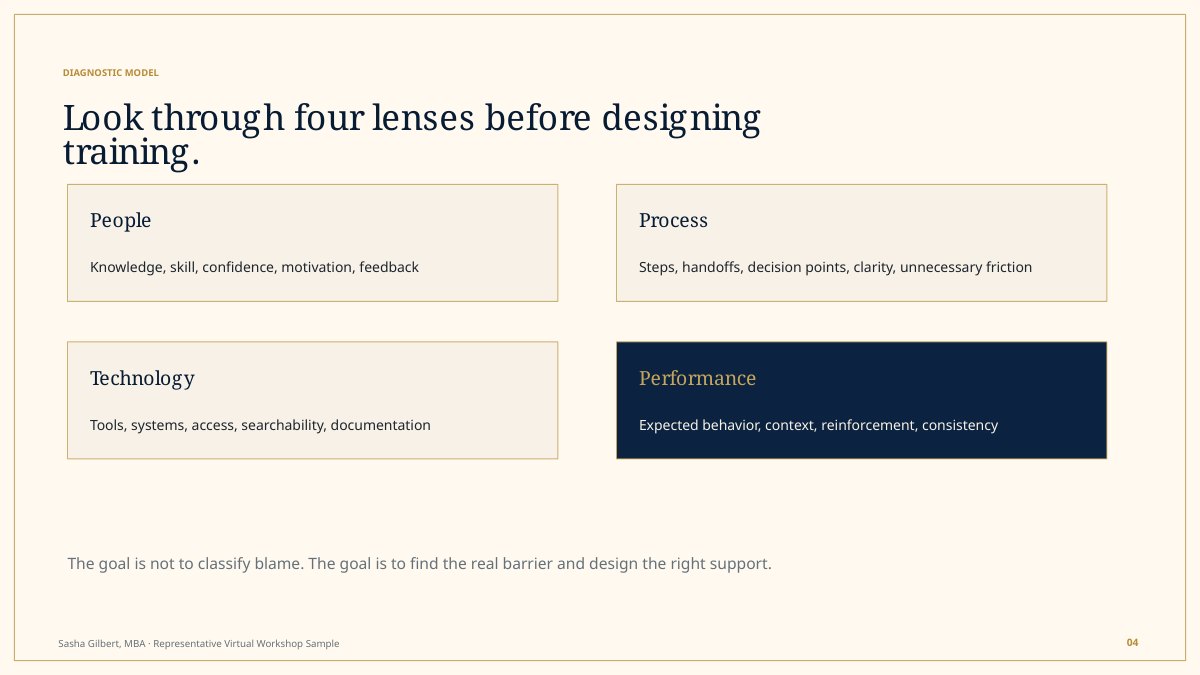
Workshop Deck
High-contrast slides support explanation, discussion, and shared attention without duplicating the facilitator’s narration.
View the Workshop Deck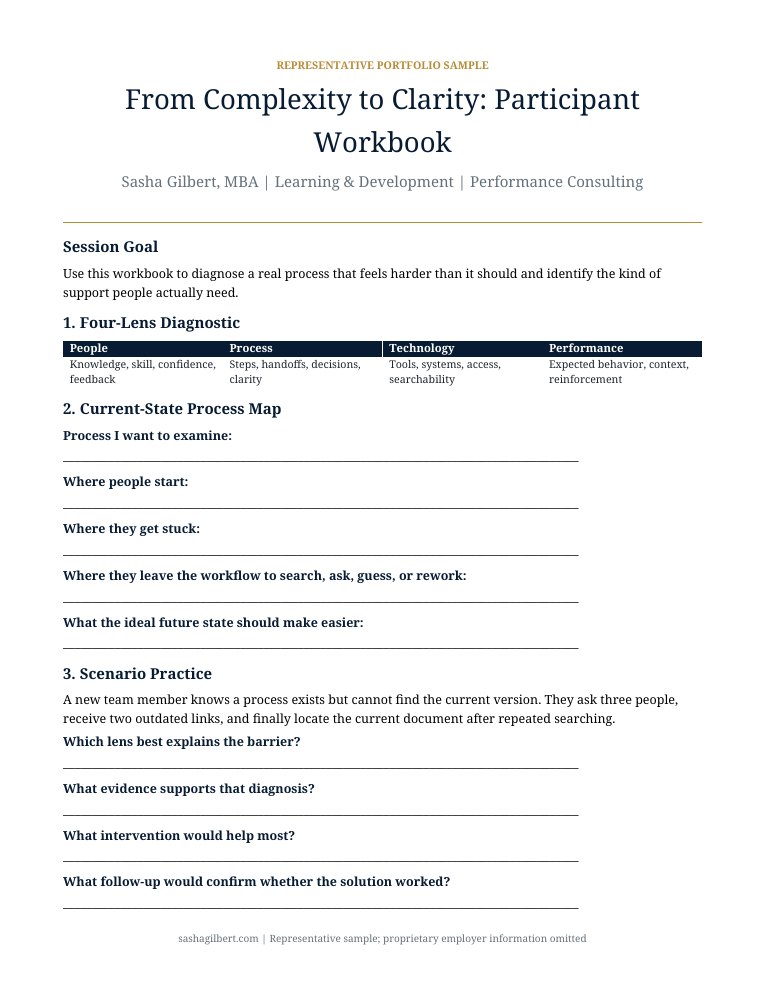
Participant Resource
The workbook turns workshop concepts into a process map, scenario diagnosis, and action commitment.
View the Participant Workbook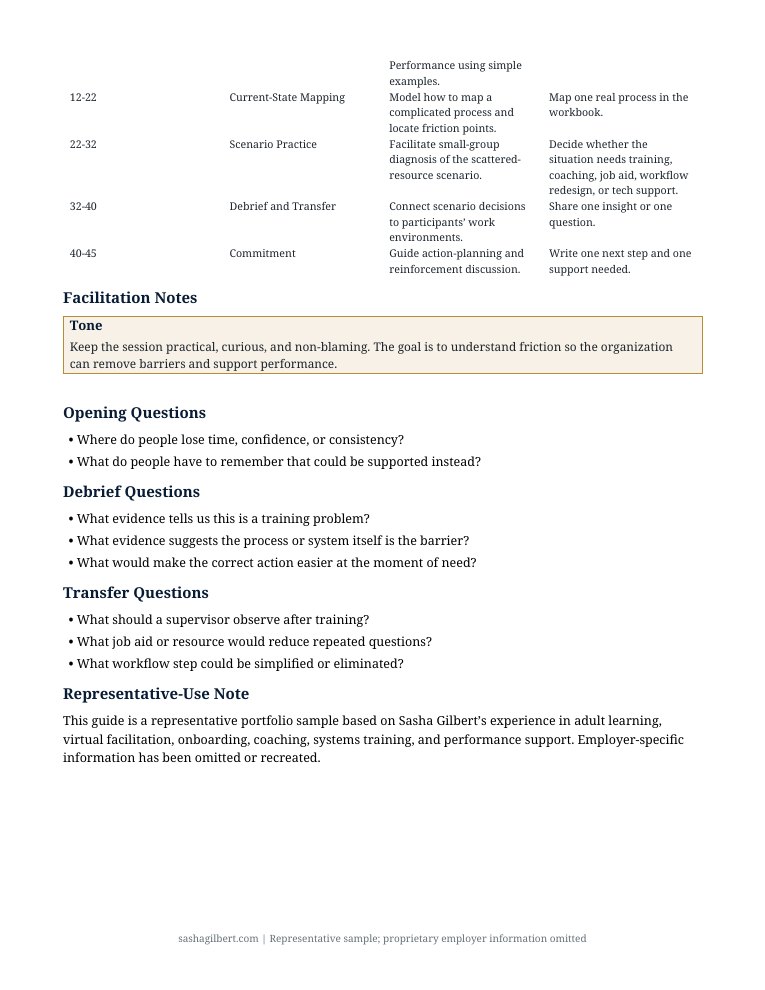
Facilitator Resource
The guide keeps purpose, timing, learner actions, discussion prompts, and transfer questions visible during delivery.
View the Facilitator GuideVisual polish matters, but usefulness comes first. Each resource should match the task, the level of risk, the user’s context, and how often the guidance will change.
Use when essential knowledge should remain available without stopping to look it up.
Use when the order of steps and accurate completion matter.
Use when cues and conditions determine the next action.
Use when people know information exists but cannot find the current source.
A job aid becomes part of a knowledge system. Ownership, version control, feedback, and alignment with the actual workflow keep it from becoming another source of confusion.
Observe search paths and repeated questions.
Watch whether the resource clarifies the next step.
Confirm the source, owner, version, and workflow.
Look for correct application and appropriate escalation.
Capabilities demonstrated
Visual learning design · Information design · Job aids · Learner resources · Process visuals · Instructional graphics · Decision support · Performance support
The capability shown here is the instructional judgment behind each resource: what to include, how to structure it, and how it helps someone perform.